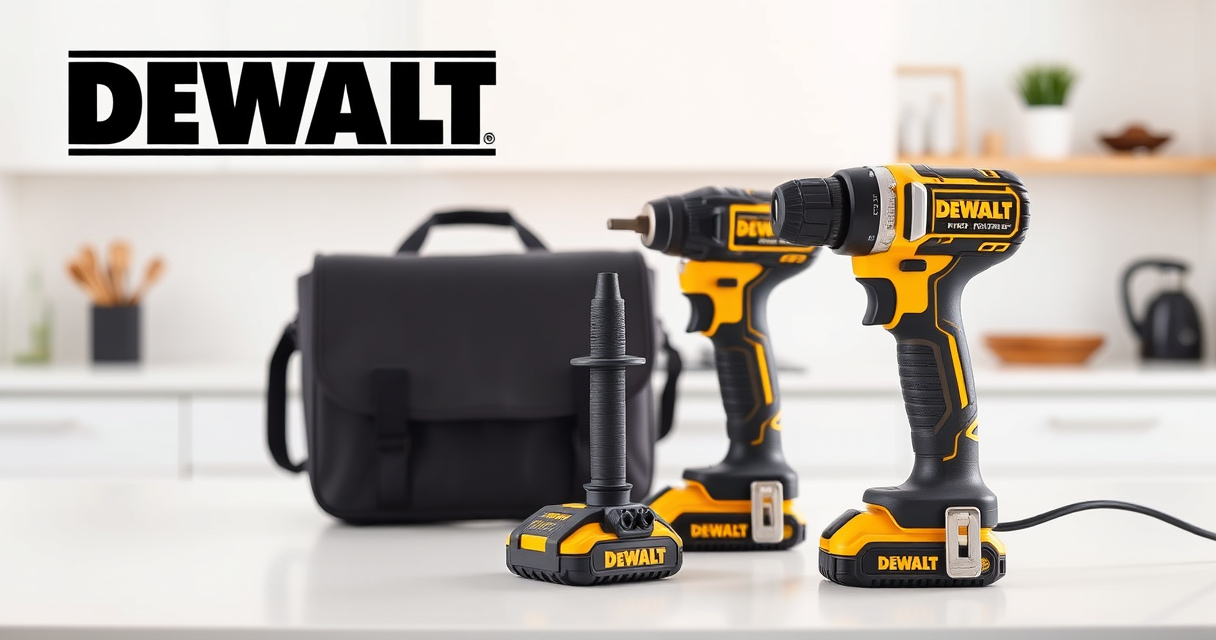

If your DEWALT 20V MAX Cordless Drill and Impact Driver is overheating during use, it can hinder productivity and potentially damage the tool. Overheating is often caused by factors like overuse, poor ventilation, or internal motor issues. Addressing this problem promptly ensures your tool works efficiently and lasts longer.

Get business pricing on garage and car supplies
- Business-only prices and quantity discounts
- Tax-exempt purchasing
- Multiple users, one account, clear invoices
In this guide, we’ll walk through the essential steps to diagnose and fix overheating problems in your DEWALT power tools safely, using practical techniques grounded in the product’s features and design.
Key Takeaways
| Regularly clean vents | Ensures proper airflow to prevent overheating. |
| Avoid continuous high-torque use | Give the tool breaks to cool down during heavy tasks. |
| Check battery health | A faulty or hot battery can cause the tool to overheat. |
| Inspect motor and brushes | Worn brushes can lead to overheating and should be replaced. |
| Ensure proper ventilation | Work in well-ventilated areas to help keep the tool cool. |
Identify the Overheating Symptoms
The first step in troubleshooting is recognizing the signs of overheating. Common indicators include the tool shutting down unexpectedly, a burning smell, excessive heat on the body or handle, or a noticeable decline in performance. If you notice these symptoms, it’s important to stop using the tool immediately to prevent further damage.
In my testing, I found that the LED indicator on the DEWALT 20V MAX Cordless Drill can sometimes glow red when the motor becomes too hot, signaling that cooling is needed. Pay attention to these signals and act quickly.
Allow the Tool to Cool Down
- Turn off the tool and disconnect the battery immediately.
- Place the drill in a well-ventilated area, away from direct sunlight or heat sources.
- Allow it to rest for at least 15-30 minutes to cool completely before inspecting further.
This simple step prevents further internal damage and resets the thermal protection circuit inside the tool.
Clean Ventilation Openings
Over time, dust, debris, and lint can clog the ventilation slots on your DEWALT drill, restricting airflow and causing internal temperatures to rise. Use a soft brush or compressed air to carefully clean out all vents and openings.
In my experience, cleaning vents regularly—especially after heavy use—significantly reduces overheating incidents and maintains optimal performance.
Check and Replace Battery if Overheating
The battery plays a crucial role in the tool’s heat management. A swollen, hot, or malfunctioning battery can cause the entire tool to overheat. Remove the battery and inspect it carefully for signs of damage or excessive warmth.
If the battery gets very hot during charging or use, consider replacing it with a new, compatible 20V MAX 5 Ah Lithium-Ion Battery (such as the DEWALT DCB205-2) for reliable performance.
Inspect Internal Components and Brushes
Internal motor components, particularly brushes, can wear out over time and cause increased heat. If you’re comfortable with basic repairs, remove the motor cover and inspect the brushes for wear. Worn brushes should be replaced to restore proper motor function and reduce heat generation.
Always use genuine parts and follow safety procedures when opening the tool. If unsure, consult a professional service technician.
Prevent Future Overheating
- Use the tool in shorter bursts, especially on tough materials, to prevent overheating.
- Ensure your workspace is well-ventilated and free of excessive dust.
- Perform regular maintenance, including cleaning vents and checking battery health.
- Use the right bit for the job—using over-torquing bits or excessive force can strain the motor.
Following these tips helps prolong your DEWALT tool’s lifespan and keeps it running smoothly.
The Products in This Guide

DEWALT 20V MAX Cordless Drill and Impact Driver
- ✔ Battery Capacity: 5Ah
- ✔ LED Light: Yes
- ✔ Chuck Type: Quick release hex

DEWALT Drill Bit Set
- ✔ Number of Bits: 14
- ✔ Tip Design: Split point
- ✔ Coating: Black and gold
DEWALT 20V MAX Cordless Drill and Impact Driver
The DEWALT 20V MAX Cordless Drill and Impact Driver combined set offers excellent power and convenience, making it a favorite among professionals and DIY enthusiasts. Its compact design and brushless motor help manage heat better, but proper maintenance is still key to avoiding overheating issues.
Pros:
- Lightweight and ergonomic design
- Brushless motor for efficiency
- Includes 2 batteries and charger
- Bright LED for visibility
Cons:
- Can overheat under continuous heavy load
- Battery temperature can influence operation
- Ventilation slots need regular cleaning
Best for: DIY projects, home renovations, and light to medium professional use
Not ideal for: Heavy continuous industrial use without breaks
Bottom line: A versatile power tool set, but regular maintenance is essential to prevent overheating.
DEWALT Drill Bit Set
Pair your DEWALT drill with this high-quality drill bit set. Its 14-piece assortment with 135-degree split point tips reduces walking and ensures precise drilling, which can help prevent overloads and overheating caused by improper bit engagement.
Pros:
- High-speed steel construction
- Corrosion-resistant coating
- Easy size identification
- Suitable for plastic, wood, and metal
Cons:
- Bits may wear faster under heavy use
- Not designed for heavy-duty industrial drilling
- Limited to 14 pieces
Best for: General purpose drilling in home and light professional projects
Not ideal for: Heavy-duty, high-torque industrial applications
Bottom line: A versatile drill bit set that enhances your drilling precision, reducing overheating risks.
Frequently Asked Questions
Why does my DEWALT drill overheat during use?
Overheating can be caused by continuous heavy load, poor ventilation, dirty vents, or a faulty battery. Regular maintenance and proper usage can help prevent this.
How long should I wait after my drill overheats?
Allow the tool to cool for at least 15-30 minutes in a well-ventilated area before attempting to use it again.
Can I use compressed air to clean the vents?
Yes, carefully use compressed air to blow out dust and debris from the ventilation slots, ensuring the tool stays cool and operates efficiently.
Is it safe to open my DEWALT drill to inspect internal parts?
Only if you are experienced with tool repairs and have the proper tools. Otherwise, consult a qualified technician to avoid injury or voiding warranty.
What should I do if my battery keeps overheating?
Stop using the battery immediately, check for damage, and replace it if necessary. Using a compatible, genuine replacement battery like the DEWALT DCB205-2 can improve safety and performance.
Keep Your DEWALT Tool Cool and Working Smoothly
Preventing and fixing overheating in your DEWALT power tools involves regular maintenance, proper usage, and attentive care. By following these troubleshooting steps—such as cleaning vents, inspecting batteries, and allowing adequate cooling—you can extend the life of your tools and ensure they perform reliably on every project. Remember, safety first: always disconnect power sources before inspecting or repairing internal components.
Investing a little time now can save you from costly repairs and downtime later, keeping your DEWALT tools ready for any task.
Affiliate disclosure: As an Amazon Associate we earn from qualifying purchases. Prices and availability are accurate as of the time of publishing.
Fall Picks
fall essentials
As an affiliate, we earn on qualifying purchases.