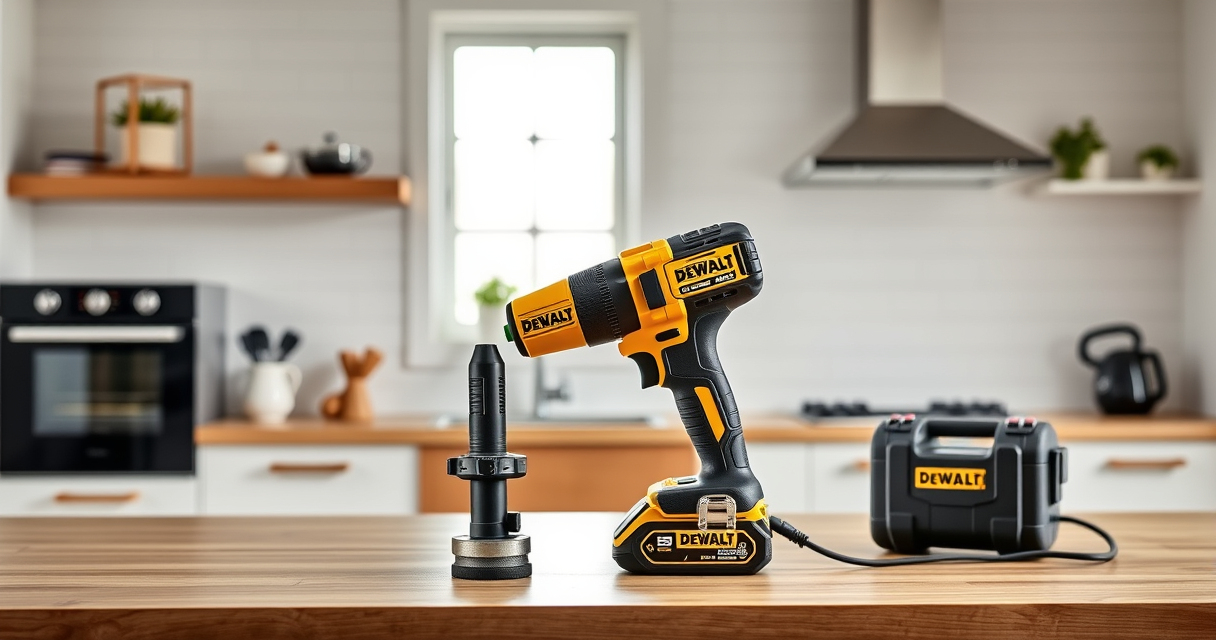

If your DEWALT power tool is overheating during use, it can lead to damage, reduced performance, and safety risks. Understanding the causes and knowing how to troubleshoot can extend your tool’s lifespan and keep your projects running smoothly.

Get business pricing on garage and car supplies
- Business-only prices and quantity discounts
- Tax-exempt purchasing
- Multiple users, one account, clear invoices
This guide provides step-by-step instructions to diagnose and fix overheating issues specifically for the DEWALT 20V MAX Cordless Drill and Impact Driver, but the principles apply to similar models.
Key Takeaways
| Overheating causes | Poor ventilation, overuse, or blocked vents can cause overheating. |
| Regular maintenance | Cleaning vents and checking brushes helps prevent overheating. |
| Proper usage | Avoid prolonged use beyond recommended duty cycles. |
| Battery health | A degraded battery can cause excess heat and should be replaced if faulty. |
| Cooling time | Allow the tool to cool down before restarting if it overheats. |
Step 1: Power Off and Disconnect
- Immediately turn off the tool and disconnect it from the battery or charger.
- This prevents further heat buildup and potential damage during troubleshooting.
Step 2: Inspect Vents and Clean
- Locate the ventilation vents on your DEWALT drill (usually near the motor housing).
- Use compressed air to blow out dust, debris, or lint that may block airflow.
- Wipe the exterior with a dry cloth to remove any dirt buildup.
Step 3: Check the Battery
- Remove the battery and inspect for swelling, corrosion, or dirt.
- If the battery is hot or swollen, replace it with a new one (e.g., DEWALT 20V MAX 5 Ah Lithium-Ion Battery).
- Ensure the battery contacts are clean and free from debris before reinserting.
Step 4: Examine Internal Components
If comfortable, open the tool’s casing following the manufacturer’s guidelines. Check for signs of wear, burnt smell, or damaged brushes in the motor. Replace worn brushes or damaged parts as needed.
Step 5: Test and Use Properly
- Reassemble the tool, insert the battery, and test in short bursts.
- Allow the tool to cool between sessions, especially during heavy-duty tasks.
- Use the correct bit and avoid forcing the tool to work beyond its capacity.
The Products in This Guide

DEWALT 20V MAX Cordless Drill and Impact Driver
- ✔ Battery Capacity: 5 Ah
- ✔ Tool Length: 7.6 inches
- ✔ Warranty: 3 years

DEWALT Drill Bit Set
- ✔ Tip Design: Split point
- ✔ Size Range: Various
- ✔ Coating: Rust-resistant
DEWALT 20V MAX Cordless Drill and Impact Driver
The DEWALT 20V MAX Cordless Drill and Impact Driver set is a versatile, reliable choice for various projects. Proper care prevents overheating and extends its lifespan.
Pros:
- Compact and lightweight design
- Ergonomic comfort grip
- Bright LED for visibility
- Quick release hex chuck
Cons:
- Battery life may vary with heavy use
- Vents can clog with dust
- Requires regular cleaning
Best for: DIY enthusiasts and professional contractors needing a durable drill set.
Not ideal for: Heavy continuous use without breaks or maintenance.
Bottom line: Regular maintenance and proper usage are key to preventing overheating in your DEWALT tool.
DEWALT Drill Bit Set
Complement your DEWALT drill with this 14-piece drill bit set featuring split point tips and a durable high-speed steel construction, ideal for various materials.
Pros:
- High-quality steel
- Split point reduces walking
- Color-coded for easy size identification
- Corrosion resistant
Cons:
- Only compatible with drills that have a 3-flats shank
- Limited to drilling applications
Best for: Home improvement projects and professional drilling tasks.
Not ideal for: Heavy-duty metalworking or industrial use.
Bottom line: A reliable drill bit set enhances your tool’s performance and reduces overheating caused by improper bits.
Frequently Asked Questions
Why does my DEWALT drill overheat during use?
Overheating can occur due to poor ventilation, excessive use, or blocked vents that prevent proper airflow, leading to heat buildup in the motor.
How often should I clean the vents?
Regularly check and clean the vents after every few uses or when you notice reduced airflow or increased heat during operation.
Is it safe to continue using the tool when it gets hot?
No, it’s best to turn off the tool and allow it to cool down. Using it while excessively hot can cause further damage or safety hazards.
When should I replace the battery?
If the battery is swollen, hot beyond normal, or no longer holds a charge, replace it to prevent overheating and ensure safety.
Keeping Your DEWALT in Peak Condition
Regular maintenance, proper usage, and timely replacement of worn parts are essential to prevent overheating of your DEWALT power tools. By following these troubleshooting steps, you can extend your tool’s lifespan and maintain safe, efficient performance for all your projects.
Affiliate disclosure: As an Amazon Associate we earn from qualifying purchases. Prices and availability are accurate as of the time of publishing.
Fall Picks
fall essentials
As an affiliate, we earn on qualifying purchases.