TL;DR
Car diagnostic scanner tools connect to a vehicle’s onboard diagnostic system to read trouble codes and, depending on the tool and car, show live data or information from other modules. A code points to a condition to investigate; it rarely names a failed part with certainty. Check vehicle compatibility, save the code and related data before clearing anything, and use a qualified mechanic for safety systems or high-voltage repairs.
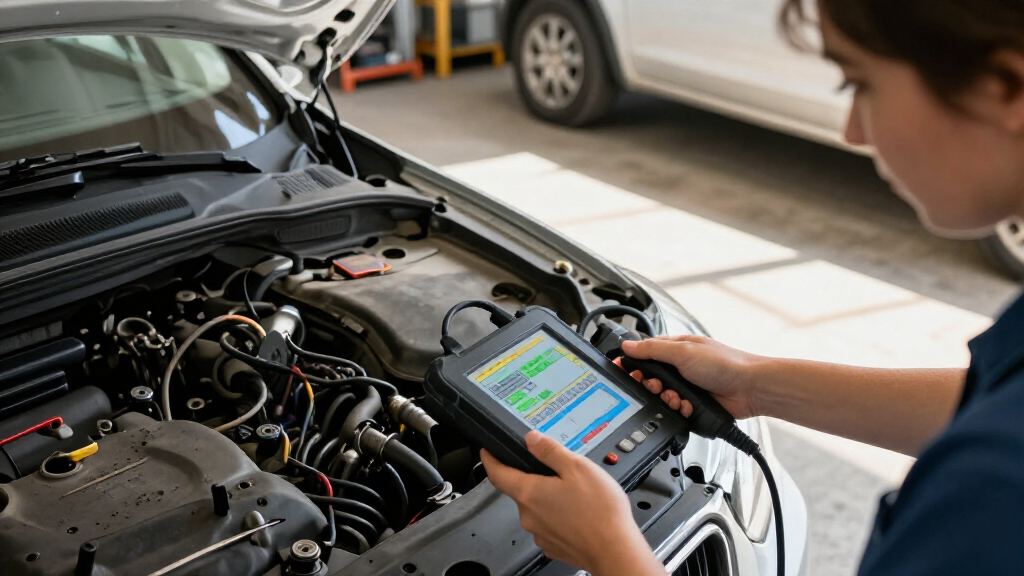
A warning light can turn an ordinary commute into a guessing game. A car diagnostic scanner can give you a useful first clue by connecting to your vehicle’s onboard diagnostic system and retrieving fault codes and, on some tools, live data.

Get business pricing on garage and car supplies
- Business-only prices and quantity discounts
- Tax-exempt purchasing
- Multiple users, one account, clear invoices
That clue is not a verdict. A code tied to an oxygen sensor, for example, can point to the sensor, its wiring, an exhaust leak, or another problem affecting the measured mixture. You’ll learn what different scanners can tell you, how to choose one that fits your car, and how to use its information without treating a code like a parts order.
A scanner reads codes and data from supported vehicle systems; it does not automatically identify a failed part.
Check year, make, model, region, modules, and service functions before choosing a tool.
Save codes and freeze-frame information before clearing them, since clearing can erase clues and reset readiness monitors.
Use a qualified mechanic for brake, airbag, high-voltage, or uncertain faults.
Check the NHTSA recall lookup for open recalls if you are in the United States.
What a scanner can tell you before you visit a mechanic
A car diagnostic scanner reads information stored by a vehicle’s control modules, often starting with trouble codes linked to the engine and emissions systems. Depending on your car and tool, it may also display live sensor readings, freeze-frame data captured when a fault occurred, or information from other modules. These features answer different questions: a code identifies a condition the system noticed, live data shows what sensors are reporting now, and freeze-frame data preserves a snapshot from when the fault was recorded. Together they can narrow an investigation, but none guarantees the name of the failed part.
Most cars and light trucks sold in the United States from model year 1996 onward use OBD-II. A scanner plugs into the diagnostic connector and asks the vehicle’s onboard diagnostic system to share available data. Other regions adopted similar standards on different timelines, so check your vehicle’s market and model year. An older car or specialized vehicle may use another connector or protocol. Compatibility matters because a tool that cannot communicate with the car may return no useful information, even if its plug fits.
Think of a code as a smoke alarm: it tells you where the system noticed a problem, but it doesn’t point to the match. If your scanner reports an oxygen-sensor-related fault and the car idles roughly, you have a valuable starting point for inspection. The code and symptom together help focus the next checks, while a technician can test whether the sensor, its wiring, an exhaust leak, or another fault is responsible. Replacing the part named in a code without those checks can cost money without resolving the cause.
Basic readers focus on generic engine and emissions codes. Broader scan tools may access manufacturer-specific codes and other modules, but coverage depends on your exact vehicle. The same connector can expose different information to different tools because modules and data access vary by make, model, year, and tool software. Before you buy or borrow one, check the year, make, model, region, supported systems, and advertised functions. That check helps distinguish a tool that can read the engine light from one that can answer a question about ABS or transmission faults.
Products Worth Considering

Vantrue Power JS3 3250A Car Jump Starter with 160 PSI Air Compressor

Vantrue N4S 3-Channel Dash Cam with STARVIS 2 Night Vision
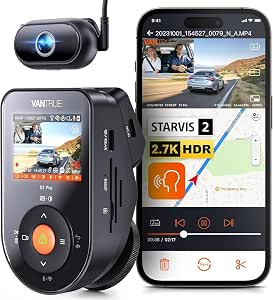
Vantrue S1 Pro DMS 2.7K Dash Cam Front and Inside with STARVIS 2 AI
As an affiliate, we earn on qualifying purchases.
Why a fault code points to a problem, not a replacement part
A fault code describes a condition the vehicle detected; it usually cannot prove which part failed. The scanner reports what the control system noticed, and you use that finding alongside symptoms and tests. This distinction matters because a control module monitors relationships between signals and operating conditions; it does not necessarily test a part in isolation. Replacing a working component just because its name appears in a code description can leave the actual fault—and the warning light—untouched.
For instance, an oxygen-sensor-related code may appear when the sensor itself is failing, but damaged wiring or an exhaust leak can also affect the reading. Imagine your hatchback’s check-engine light comes on after a rough morning start. The code offers a lead; it does not tell you that buying a new sensor will cure the rough idle. A mechanic may check wiring, look for leaks, and compare live readings before recommending a repair. Those checks help separate a bad sensor from a signal distorted by a different problem.
Live data can add context. Some tools show values from vehicle sensors while the engine runs, and some record freeze-frame data from around the moment a fault was stored. Those readings can help a technician see whether a problem appears at idle, under load, or at a particular temperature. That context matters because an intermittent fault may disappear by the time the car is inspected, while the stored snapshot preserves the conditions under which it appeared. Still, a number on a screen needs a vehicle-specific reference and careful interpretation; a reading that looks unusual in isolation may be normal for that operating condition.
The simplest way to think about diagnosis is this: the scanner gathers evidence; inspection explains it. If a code conflicts with what the car is doing, do not force the story to fit. Share the code and symptoms with a qualified technician, especially when the warning involves braking, steering, airbags, or another safety-related system. The symptoms can affect urgency even when the scanner provides only a brief or uncertain description.
Choose features that match the job you actually have
The right scanner is the one that supports your vehicle and gives you data you can use. A low-cost code reader may be enough to retrieve generic engine codes before an appointment, while a more capable scan tool can reach additional modules or provide service functions. The tradeoff is that broader coverage usually costs more and can bring extra menus, software, or subscription requirements. More features help only when the tool supports your car and presents the results clearly.
Use this checklist before buying. A reader that handles one car’s engine codes may not read its ABS module, and a service function listed on the box may apply only to selected models or years. Checking each capability against your vehicle prevents paying for functions that are unavailable or irrelevant to your needs.
- Match coverage: confirm your vehicle’s year, make, model, and region, then check which modules the tool reads. Module access matters because a basic reader may answer an engine question while missing a fault stored by the brakes or transmission.
- Compare useful data: look for live readings, freeze-frame information, readiness monitors, and manufacturer-specific codes if you need them. These features can provide context, but only if you can interpret the readings or share them with someone who can.
- Check the display: clear code explanations, readable graphs, and a reliable connection make a tool easier to use on a cold driveway. A confusing display can make additional data harder to act on than a simple code reader.
- Read the fine print: check update costs, subscriptions, internet requirements, and whether the app or tool keeps receiving software support. Ongoing costs and discontinued support can affect whether the tool remains useful as vehicle software changes.
Phone-connected adapters can make it easy to graph live data and save a report. Their performance depends on the adapter, app, subscription terms, and vehicle support. A standalone handheld reader avoids pairing a phone, while a phone app may offer a larger screen and easier report sharing. Convenience and coverage are separate questions, so check both before you pay. The best interface is the one that lets you reliably capture information you can use, not simply the one with the most graphs.
For example, if you mainly want to read a check-engine light on a 2012 sedan, a basic compatible reader may cover your need. If you want to check an ABS fault or run a vehicle-specific service function, confirm that exact capability first. The added expense of a broader tool makes sense when you will use its supported functions; a long feature list cannot make up for missing coverage.
Use the scanner in a safe, useful order
When a warning light comes on, record the code and available data before clearing anything. Clearing a code does not fix its cause, and it may erase information that helps explain when the problem appeared. Saving that evidence preserves a useful starting point for your own checks or a mechanic’s diagnosis. Follow a consistent order so you leave with more useful evidence than you started with.
- Check the warning and symptoms. Note when the light appeared and whether the car runs, brakes, or steers differently. These details can indicate urgency and help explain a code, but a scanner does not confirm that a car is safe to drive.
- Connect a compatible tool. Follow its instructions and keep the vehicle in the state the manual requires for reading data. Correct connection and operating conditions help avoid a failed reading or data that does not match the fault.
- Save the code and freeze-frame details. Record the code, description, and any readings your scanner provides. A photo of the screen works in a pinch. The snapshot can be especially useful if the symptom is intermittent and is not present later.
- Look up vehicle-specific guidance. Compare the code with reliable service information and the car’s symptoms before drawing a conclusion. Vehicle-specific guidance helps explain what the code monitors and which checks can distinguish possible causes.
- Clear codes only when appropriate. After a repair, clearing can help check whether the fault returns, but it may reset emissions-readiness monitors. That means the car may need to complete its prescribed drive cycle before those monitors show ready again.
Say your check-engine light appears on the way to a smog inspection. Clearing the code right before the test can reset readiness monitors, so the car may show that it is not ready even if the light goes out. A scanner can show monitor status, but it cannot make an unresolved fault pass. Save the evidence first, and check the inspection rules in your area.
Some Bluetooth or Wi-Fi adapters draw power while the car is off. If you leave one plugged into a parked vehicle and later find a weak battery, unplug it and check the adapter maker’s guidance. The tool should help you investigate, not create a new mystery.
Know when a scanner is not enough to keep you safe
A scanner can help you investigate a warning, but it cannot test every component directly or promise that your car is safe to drive. Safety-related systems and high-voltage electric or hybrid components need the right vehicle-specific tools, service information, and expertise. When a fault involves brakes, airbags, or a high-voltage system, leave the repair to a qualified mechanic with the proper training. The consequences of a mistaken repair in these systems can include a failure to protect occupants or exposure to dangerous electrical energy.
A basic OBD-II reader may retrieve engine and emissions codes while missing ABS, airbag, or transmission faults. More capable consumer and professional tools increasingly cover those modules, and some offer vehicle-specific service functions such as electronic parking-brake service mode, battery registration, or steering-angle resets. Availability varies by car, tool, software version, and sometimes subscription. A function’s presence in a menu does not by itself confirm that it supports your car or that it is safe to use without the prescribed procedure.
Hybrid and electric cars may have an OBD connector, but that does not mean a generic reader can diagnose a high-voltage battery or electric-drive problem. Imagine an EV displaying a drivetrain alert on a rainy morning. A general reader may show limited information while the actual diagnosis calls for specialized coverage and high-voltage safety procedures. Do not open or repair high-voltage components yourself; contact a technician trained for that vehicle. The connector provides a route to some vehicle data, not proof that the reader can access every system or safely guide a repair.
If a warning light appears alongside an unusual brake feel, an airbag warning, or serious changes in how the car drives, treat the symptom seriously even if your scanner shows only a short code. If you are in the United States, check for open recalls through the NHTSA vehicle recall lookup using the VIN. A scanner can narrow the question; a trained inspection can determine what to do next. That distinction is especially important when a limited code description could understate a serious symptom.
Spend your money on useful coverage, not the longest feature list
Good scanner value comes from matching its coverage and display to your needs, rather than chasing the most functions. If you want to read a check-engine light, a simple compatible reader may be enough; if you need module access or a vehicle-specific service procedure, you need to verify those features for your exact car. The practical test is simple: can the tool answer the question you actually have? Paying for more capability is worthwhile when it covers a system you need and gives you a usable result; otherwise, the added functions may bring cost and complexity without changing your next step.
| Tool type | What it may do | Good fit when |
|---|---|---|
| Basic code reader | Read and often clear generic engine and emissions codes | You want a first clue before discussing a check-engine light with a mechanic |
| Phone-connected adapter | Show supported codes, graphs, and reports through an app | You want an app display and have checked app, adapter, and vehicle compatibility |
| Broader scan tool | Access some extra modules, data, or service functions | You need confirmed support for systems such as ABS or transmission on your car |
The features listed in a product description are only useful if the tool supports your vehicle and explains what it finds. Check update costs and app subscriptions too. For instance, a driver who wants to save a live-data graph for a technician may value a clear phone app, while someone who wants a quick code read in a driveway may prefer a simple handheld unit. The first driver benefits from easy sharing; the second may value a straightforward connection and fewer ongoing requirements.
Readable results can matter more than a crowded menu. A dependable connection, clear descriptions, and well-maintained software help you turn a code into a useful conversation with a repair shop. A scanner complements mechanical inspection; it does not replace it. Choosing a tool around the question you need answered helps keep its cost and complexity in proportion to the value it provides.
Frequently Asked Questions
Can a car diagnostic scanner tell me exactly which part is broken?
Usually not. It reports a detected condition or system fault, which a technician interprets with the symptoms and test results. An oxygen-sensor-related code, for example, can also point to wiring trouble or an exhaust leak.
Will an inexpensive reader work with my car?
It may read generic engine and emissions codes if your vehicle supports the relevant OBD-II standard. It may not access ABS, airbag, transmission, or manufacturer-specific information, so check coverage for your exact model.
Should I clear a check-engine code after reading it?
Save the code and any available freeze-frame data first. Clearing the code does not repair the cause, and it can reset readiness monitors; the warning light may return if the problem remains.
Can a scanner read ABS, airbag, or transmission problems?
Only when the scanner supports that system for your particular vehicle. Many basic code readers focus on generic engine and emissions codes, even though they plug into the same OBD-II connector.
Can a general OBD-II reader diagnose my hybrid or electric car’s battery?
Do not assume it can. A car may have an OBD connector while its high-voltage battery or electric-drive diagnosis requires specialized vehicle-specific coverage and training. Have a qualified technician handle high-voltage work.
Can a scanner help me get through an emissions test?
It can show relevant codes and readiness-monitor status, but it cannot make an unresolved fault pass. Clearing codes can reset monitors and leave the vehicle marked as not ready for testing.
Conclusion
Use a scanner to gather evidence: record the code, save available data, and compare it with what your car is doing. Choose a tool that supports your vehicle, and let a qualified technician handle safety-system or high-voltage repairs.
A warning light is a small signal from a complicated machine. Read it carefully, and you can turn that amber glow into a better question—and a smarter next step.