TL;DR
Automotive diagnostic scanners read trouble codes and, depending on the vehicle and tool, show live sensor data, access additional control modules, or run tests. A code points to a detected condition rather than naming a guaranteed faulty part, so record the code and related data before clearing anything, then confirm the cause with symptoms and service information.
A check-engine light can turn a routine drive into a guessing game. An automotive diagnostic scanner can read what the car’s computer has reported, but its code is a clue, not a verdict on which part to buy.

Get business pricing on garage and car supplies
- Business-only prices and quantity discounts
- Tax-exempt purchasing
- Multiple users, one account, clear invoices
This guide explains what scanners can read, why two tools that plug into the same port may reveal different information, and how to use a scan without throwing away useful evidence. You’ll also see what to check before buying and when a problem calls for a trained mechanic.
A diagnostic code describes a detected condition or circuit; it rarely proves which part failed.
Record codes and freeze-frame data before clearing them, since clearing can remove evidence and reset emissions readiness monitors.
Check scanner coverage by exact make, model, year, and feature, especially for ABS, airbag, or special service functions.
Phone-based adapters can handle basic checks, but app quality, compatibility, and fees vary.
Use a certified mechanic for safety-critical repairs and a trained EV technician for high-voltage diagnosis.
What an automotive diagnostic scanner can tell you
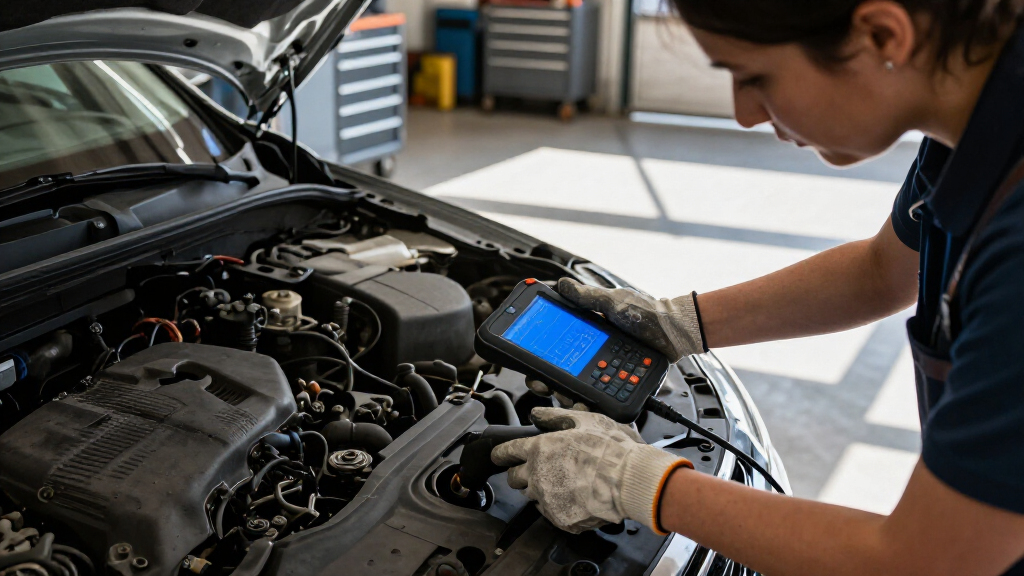
An automotive diagnostic scanner communicates with a vehicle’s control modules to retrieve fault codes and, on supported vehicles, display data or run tests. These modules monitor systems such as the engine and emissions controls, comparing sensor readings with expected ranges. For many U.S. cars and light trucks from model year 1996 onward, OBD-II provides a standard starting point for emissions-related diagnostics. That standard makes basic engine-code reading widely available, but it does not guarantee that every scanner can access every module or feature.
Imagine your check-engine light comes on while you’re driving to work. A basic scanner may show a code related to the engine’s air and fuel mixture; a more capable tool may also show sensor readings and the conditions recorded when the code appeared. Those details can help distinguish a fault that occurs only during a cold start from one that persists while driving. That difference affects what a mechanic should reproduce and inspect, but the readings still need interpretation: a sensor value can be abnormal because the sensor failed, because its wiring is damaged, or because the system it measures has a separate problem.
Scanners range from simple code readers to devices with live-data graphs, freeze-frame capture, and access to several control modules. Some are handheld units; others are Bluetooth or Wi-Fi adapters that connect to a phone app. A basic reader costs less and may answer the narrow question “What engine code is stored?” A broader tool can provide more clues or cover systems such as ABS, but its added features are useful only if your vehicle supports them and you know how to interpret the results. It is a little like checking one street on a map versus seeing the whole neighborhood: more information can help, but it can also leave you with more details to sort through.
Key point: the scanner reports what a vehicle detected or can communicate, while diagnosis means working out why it happened. A code about a sensor circuit might come from the sensor, its wiring, a connector, or another issue affecting the reading. Use the code to focus your checks rather than order a part immediately; a wrong replacement adds cost without resolving the condition that triggered the warning.
Products Worth Considering

Vantrue N4S 3-Channel Dash Cam with STARVIS 2 Night Vision
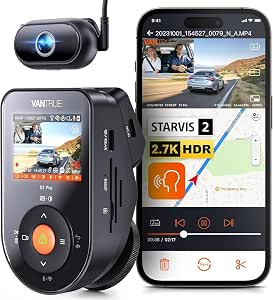
Vantrue S1 Pro DMS 2.7K Dash Cam Front and Inside with STARVIS 2 AI

DEWALT 20V MAX XR Brushless Hammer Drill and Impact Driver Combo Kit with Two 4 Ah Batteries and 4 A Charger
As an affiliate, we earn on qualifying purchases.
Why a trouble code doesn’t name the broken part
A trouble code identifies a detected condition, circuit, or system; it usually does not prove which component failed. The vehicle computer sees readings and signals, not the physical cause behind them. Several faults can therefore produce similar results. Replacing the part named in a code description without checking the surrounding evidence can cost you money and leave the original problem untouched.
For example, a driver sees a code associated with an oxygen sensor and buys a replacement. But the code may reflect damaged wiring, a loose connector, an exhaust leak, or a problem elsewhere in the air-fuel system. The code narrows the area to investigate; it does not rank those causes by likelihood. Freeze-frame data—the snapshot of operating conditions recorded when a fault occurred—can help by showing whether the engine was warm, how fast the car was moving, and what some sensors reported at that moment. If the fault appeared during a cold start, that context may guide a different inspection than a fault that appeared after sustained highway driving.
Use the scan as one part of a short diagnostic process. Record the code, note how the car behaves, check relevant live readings if your scanner supports them, and compare the results with reliable service information for your exact vehicle. Each clue has limits: symptoms describe what the driver experiences, live data shows what the modules report, and service information explains how to test likely causes. Together, they can narrow the possibilities; any one of them alone can point in the wrong direction. A rough idle, a fuel smell, or a light that flashes deserves attention alongside the code because the car’s behavior may change how urgently you need help.
Think of a trouble code as a smoke alarm: it tells you where a problem showed up, not whether burnt toast or an electrical fault caused it. Do not treat a code definition as a repair instruction. When the issue affects braking, airbags, or another safety-critical system, have a qualified technician diagnose and repair it. Those systems can require specialized procedures, and an incorrect repair can affect how they protect you.
How to scan your car without losing useful evidence
- Park safely. Stop somewhere stable, switch off the engine if your scanner’s instructions require it, and find the diagnostic connector. Follow the tool’s connection instructions; some tools need the ignition on to communicate, while others specify a different sequence.
- Read and record the results. Save the exact code, its description, and any freeze-frame data. Write down warning lights and symptoms, such as a stumble at idle or poor acceleration. Exact codes and operating conditions matter because a general description may hide distinctions that change the next diagnostic step.
- Check what the tool can see. Review relevant live readings or readiness monitor status if your scanner supports them and your vehicle reports them. Readiness status indicates whether onboard emissions checks have completed, so it can help explain why a vehicle may not yet be ready for an emissions inspection after a battery disconnect or code clear.
- Look up vehicle-specific service information. Use the make, model, year, engine, and code; then check likely causes before deciding what to inspect. Vehicle-specific procedures matter because similar codes can call for different tests across engines and model years.
- Clear only when you have a reason. Erasing a code can remove diagnostic evidence and reset emissions readiness monitors. If the fault is still present, the warning light may return. Clearing before recording can also make a later diagnosis harder, since the technician loses the original conditions that accompanied the fault.
Consider a driver whose car sets a code after a rough cold start. If they save the code and snapshot before clearing it, a mechanic has more context to compare with the next cold start. If they clear it at the curb and drive away, that snapshot may be gone, and the conditions needed to reproduce the fault may not occur again immediately.
A scanner’s ability to erase a warning does not mean it fixed the underlying fault. Clearing a code may be appropriate after a repair or during a planned diagnostic check, but it is not a shortcut around diagnosis. Save first, interpret second, clear last.
Which scanner features are worth paying for
The most useful scanner is the one that supports your vehicle and the job you need to do. A low-cost reader may retrieve standard engine and emissions codes, while a more advanced tool may offer live-data graphs, freeze-frame details, or access to systems such as anti-lock brakes and airbags. More features can help narrow a problem, but they also add cost and may require subscriptions or vehicle-specific coverage. They only help when the tool supports them on your specific make, model, and year.
Picture two owners with different needs. One wants to check an engine light on an older commuter car; a basic reader may be enough to gather a code before calling a shop. Another is diagnosing an ABS warning on a newer SUV, which calls for a scanner that specifically supports that vehicle’s ABS module. The connector can fit in both cases even when the available information differs. Buying a tool based only on connector fit risks paying for a device that cannot reach the system you need.
| Feature | What it can help with | What to check |
|---|---|---|
| Basic code reading | Retrieving common engine and emissions codes | OBD-II support and code definitions |
| Live data and graphs | Watching selected sensor readings as conditions change | Supported data for your vehicle |
| Multiple-module access | Checking systems such as ABS, airbag, or transmission | Coverage for the exact make, model, and year |
| Special functions | Running tests or service procedures | Vehicle support, security access, and possible fees |
Before buying, check module coverage, special-function support, update terms, and app or subscription costs. A function listed in a product description may cover only selected vehicles or require paid access, so look for confirmation for your exact model and year. Some phone-based adapters work well for simple checks, but an adapter’s quality and its app’s support both matter. A promising feature list is not proof that a function works on your car.
When a home scan is enough—and when to call a pro
A home scan can be a useful first check for a non-urgent warning, but it is not a substitute for equipment, training, or repair skills when the fault affects safety or requires specialized access. A basic scanner is often helpful for collecting engine-code information; it may not communicate with every module or support every test on a newer vehicle. Its best use is to give you a clearer account of what the car reported, which can make a repair conversation more specific.
For example, if your check-engine light comes on and the car still runs normally, you can record the code and symptoms, then use that information to plan a repair visit. If an ABS warning appears, an airbag light stays on, or braking feels different, arrange qualified diagnosis instead of relying on a generic engine-code reader. Brakes and airbags are safety-critical systems, so certified mechanics should handle repairs. A warning in one of these systems may affect how the vehicle responds in an emergency, even if it otherwise seems to drive normally.
Advanced functions such as bidirectional tests, coding, key programming, or electronic parking-brake procedures can require manufacturer-specific coverage, a paid subscription, or authenticated access. Bidirectional tests let a tool command certain components, which can help a technician isolate a fault but also makes correct procedures important. Newer connected vehicles may also use security gateways that limit what an aftermarket scanner can do. A tool that reads standard engine codes may still be unable to perform a requested service procedure, so check the specific function before relying on it.
Hybrid and electric vehicles add another boundary. Some scanners can display selected battery, charging, or hybrid data, but a generic OBD-II reader is not high-voltage diagnostic equipment. Reading a limited set of data does not establish that a high-voltage component is safe to handle or identify every fault. If a warning points to the high-voltage system, contact a technician trained and equipped for that vehicle. Check for open recalls through the NHTSA if you suspect a known safety issue; a scanner cannot tell you whether a recall applies.
What to check before buying a scanner
Check vehicle-specific coverage, the features you will actually use, and the cost of keeping the scanner current. A tool may plug into your diagnostic port and read standard emissions codes while lacking access to your transmission, ABS, or airbag modules. Compatibility depends on both the vehicle and the scanner, so general claims like “works with most cars” may not answer your real question. Matching coverage to a specific task helps avoid paying for capabilities your vehicle cannot use or buying a reader that misses the system you need.
Say you own a 2018 hatchback and want to see ABS codes, not just check-engine codes. Search the maker’s coverage list for your exact year and model, then confirm that ABS access is included. If you want an electronic parking-brake service mode, check that exact function too; broad language about “service resets” may not cover your vehicle. These checks matter because module access and service functions are separate capabilities: a scanner may read ABS codes but still lack the commands needed for a service procedure.
- Confirm make, model, year, and engine coverage.
- Check module access for the systems you want to scan.
- Verify special functions by name, not just by a general feature label.
- Review update and subscription terms, including what still works when paid coverage ends.
- Check app requirements if the device uses Bluetooth or Wi-Fi.
Some inexpensive phone adapters are handy for checking a basic engine code in a driveway, especially when the app explains live readings clearly. Their value depends on reliable connection, vehicle support, and app quality. A low purchase price can be offset by recurring app fees, and a confusing app can make extra readings difficult to use. Choose based on a real task you expect to do, not the longest feature list on the box.
Frequently Asked Questions
Will an OBD-II scanner work with my car?
In the United States, most cars and light trucks from model year 1996 onward support standardized OBD-II emissions diagnostics. A scanner may still lack access to other systems or special functions, so check support for your exact make, model, year, and desired feature.
Can a scanner tell me exactly what part is broken?
Usually not. A code reports a detected condition or circuit area, and several causes can produce similar readings. Use symptoms, freeze-frame information, live data, and service information to narrow down the cause before replacing parts.
Can I use a scanner to turn off the check-engine light?
Many scanners can clear a code and switch the light off temporarily. If the fault remains, the light may return; clearing can also remove useful diagnostic data and reset emissions readiness monitors.
Can an inexpensive Bluetooth scanner read ABS or airbag codes?
Only if its adapter and app support those systems for your specific vehicle. Many inexpensive options focus on standard engine and emissions codes, so verify module coverage before buying.
Can I use a scanner to diagnose an electric vehicle?
Some tools show selected EV or hybrid data, but a generic OBD-II reader cannot safely diagnose every high-voltage fault. High-voltage battery and charging-system work calls for compatible equipment and trained technicians.
Do automotive diagnostic scanners need subscriptions?
Some scanners include basic functions without a subscription, while advanced coverage, updates, or online services may require ongoing payment. Check which features continue to work after the included update period or subscription ends.
Conclusion
Use a scanner to gather evidence, not to guess at parts. Save the code and freeze-frame data, compare them with your car’s symptoms, and confirm coverage before relying on a tool or clearing a warning.
When brakes, airbags, or high-voltage systems enter the picture, get qualified help. A scan can point toward the right road; careful diagnosis gets you safely to the repair.