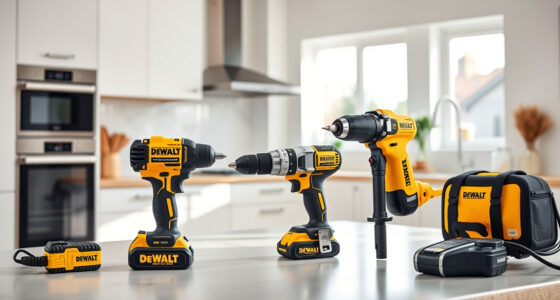

Keeping your DEWALT 20V MAX Cordless Drill Driver Set in top condition is essential for reliable performance on the jobsite or around the house. Over time, you may encounter issues such as reduced battery life, drilling difficulties, or mechanical malfunctions. This comprehensive guide provides practical, safe, and effective troubleshooting and maintenance steps to help you resolve common problems and extend the life of your tool.

Get business pricing on garage and car supplies
- Business-only prices and quantity discounts
- Tax-exempt purchasing
- Multiple users, one account, clear invoices
Whether you’re a seasoned professional or a DIY enthusiast, understanding how to care for your DEWALT drill can save you time, money, and frustration. Follow these clear instructions and tips to keep your tool running smoothly and safely.
Key Takeaways
| Battery Maintenance | Proper charging, storage, and periodic checks extend battery life. |
| Cleaning & Lubrication | Regular cleaning of vents and moving parts prevents overheating and wear. |
| Troubleshooting Power Issues | Identify battery, motor, or switch problems with simple tests. |
| Mechanical Checks | Inspect bits, chucks, and gears for damage or wear. |
| Safety Precautions | Always disconnect power and wear safety gear during maintenance. |
Battery Care and Troubleshooting
- Ensure your battery is fully charged using the original DEWALT charger. Check the LED indicator; a flashing red light indicates charging issues or a defective battery.
- If the tool operates intermittently or not at all, remove the battery and inspect it for dirt or corrosion on the contacts. Clean gently with a dry cloth.
- Store batteries in a cool, dry place away from direct sunlight and extreme temperatures. Avoid leaving batteries fully drained for long periods.
- Test the battery with a compatible DEWALT charger and consider replacing it if it no longer holds a charge after multiple cycles.
Proper battery maintenance is crucial for consistent performance. Always use the original charger and avoid overcharging.
Cleaning and General Maintenance
- Regularly clean dust and debris from the vents and exterior using a soft brush or compressed air. This prevents overheating and ensures good airflow.
- Inspect the chuck for dirt, debris, or damage. Clean with a cloth and lubricate with a light machine oil if the chuck feels stiff.
- Lubricate the gear mechanisms and moving parts as recommended in the user manual, typically using a light machine oil.
- Avoid exposing the tool to water or harsh chemicals. Keep it dry and store it in a secure, dry location.
Good cleaning habits prolong the lifespan of your drill and improve safety and efficiency.
Diagnosing Power and Performance Problems
- Test the battery and charger to rule out power supply issues. Replace the battery if it doesn’t hold charge or shows signs of damage.
- Check the trigger switch for responsiveness. If unresponsive or sticking, it may need cleaning or replacement.
- Observe the motor operation. If the drill runs weakly or stalls, consider inspecting the brushes and motor windings. If you are unfamiliar with motor repairs, consult a professional.
- Ensure the bit is properly secured in the chuck and check for damage or wear. Replace worn bits for better performance.
Addressing these common issues can restore your drill’s performance and prevent further damage.
Mechanical Inspection and Replacement
- Inspect the chuck for cracks or excessive wear. Replace if it no longer grips bits securely.
- Check gears and internal mechanisms for signs of wear or damage. If parts are worn or broken, seek professional repair or replacement.
- Ensure the battery contacts are clean and free of corrosion. Use a gentle abrasive if necessary.
- Replace worn or damaged parts with genuine DEWALT components for safety and compatibility.
Regular inspection and timely replacement of worn parts keep your drill running smoothly and safely.
Safety Tips and Precautions
Always disconnect the battery before performing any maintenance or inspection. Wear safety goggles and gloves to prevent injury from debris or sharp parts. Follow the manufacturer’s instructions for repairs and use only compatible parts and accessories. Keep your workspace clean and well-lit to avoid accidents. Regularly check your tool for signs of damage or excessive wear and address issues promptly to ensure safe operation.
The Products in This Guide

DEWALT 20V MAX Cordless Drill Driver Set
- ✔ Dimensions: 7.6 inches
- ✔ Weight: Lightweight
- ✔ Warranty: 3 years

DEWALT Drill Bit Set
- ✔ Size: Multiple
- ✔ Durability: High-speed steel
- ✔ Use case: Versatile
DEWALT 20V MAX Cordless Drill Driver Set
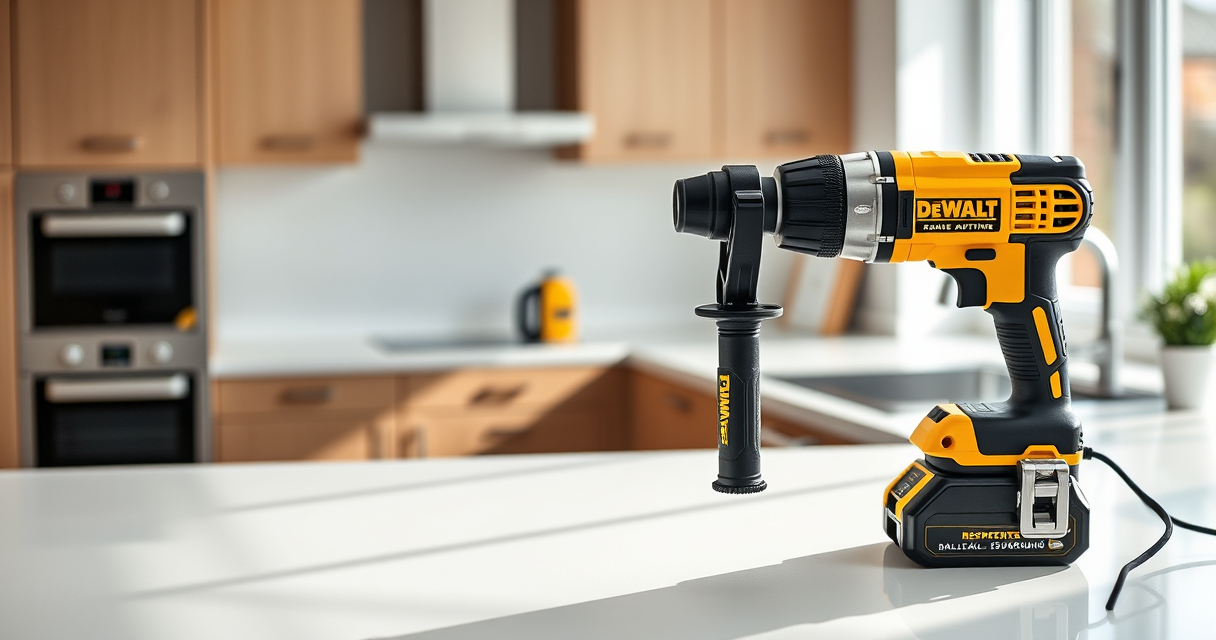
The DEWALT 20V MAX Cordless Drill Driver Set offers a powerful brushless motor, compact design, and ergonomic comfort, making it ideal for both professional and DIY use. Regular maintenance helps maximize its lifespan and performance.
Pros:
- Brushless motor delivers more run time
- Compact and lightweight for tight spaces
- LED light improves visibility
- Two-speed transmission for versatility
Cons:
- Battery life may vary with heavy use
- Chuck may require cleaning after extensive use
- Plastic components can wear over time
Best for: General-purpose drilling, fastening in tight or awkward spaces
Not ideal for: Heavy-duty industrial applications requiring high torque
Bottom line: A reliable, versatile drill ideal for a wide range of tasks with regular care.
DEWALT Drill Bit Set
Complement your DEWALT drill with this 14-piece drill bit set featuring a 135-degree split point tip, high-speed steel construction, and rust-resistant coating. Perfect for various materials and demanding tasks.
Pros:
- High-quality high-speed steel
- Split point design reduces walking
- Durable and rust-resistant coating
- Includes a variety of sizes
Cons:
- Only suitable for drilling, not driving
- May require additional bits for specific tasks
- Can be overkill for light-duty projects
Best for: Precision drilling into plastic, wood, and metal
Not ideal for: Heavy-duty industrial drilling without proper bits
Bottom line: A versatile drill bit set that enhances precision and durability.
Frequently Asked Questions
How often should I clean my DEWALT drill?
It’s best to clean your drill after each heavy use or weekly if used frequently. Use compressed air and a soft brush to remove dust and debris from vents and moving parts.
Why is my drill not holding a charge?
This can be due to a degraded battery, poor contact points, or overcharging. Test with a known good battery and ensure proper storage and charging practices.
Can I replace the chuck myself?
Yes, but only if you have experience with power tool repairs. Ensure the tool is unplugged or the battery is removed before attempting replacement, and use genuine parts.
What safety precautions should I follow during maintenance?
Always disconnect the battery, wear safety goggles and gloves, and perform maintenance in a clean, well-lit area. Follow manufacturer instructions carefully.
How do I know if my motor needs repair?
Signs include unusual noises, weak operation, or overheating. If basic troubleshooting doesn’t help, consult a professional technician for inspection.
Maintaining Peak Performance with Care
Proper maintenance and troubleshooting are key to ensuring your DEWALT drill remains reliable and efficient. Regularly cleaning, inspecting, and caring for your tool can prevent many common issues and extend its lifespan. Remember to always follow safety guidelines and use genuine parts for replacements. With consistent care, your DEWALT drill will continue to be a dependable partner for all your drilling and fastening needs.
Affiliate disclosure: As an Amazon Associate we earn from qualifying purchases. Prices and availability are accurate as of the time of publishing.
Fall Picks
fall essentials
As an affiliate, we earn on qualifying purchases.