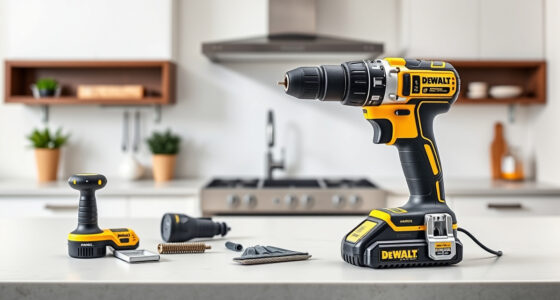

Keeping your DEWALT FLEXVOLT batteries and tools clean is essential for maintaining their performance and extending their lifespan. Proper cleaning removes dirt, debris, and corrosion that can hinder operation. In this guide, you’ll find practical, safe, and effective steps to clean your DEWALT FLEXVOLT system.

Get business pricing on garage and car supplies
- Business-only prices and quantity discounts
- Tax-exempt purchasing
- Multiple users, one account, clear invoices
Always follow safety precautions and manufacturer instructions when cleaning power tools and batteries to avoid damage or injury.
Key Takeaways
| Use dry, soft brushes | Gentle tools prevent damage to sensitive components. |
| Avoid water contact | Water can cause corrosion and short circuits. |
| Inspect for corrosion | Clean corrosion promptly to maintain connectivity. |
| Use isopropyl alcohol | Effective for removing grime and corrosion from contacts. |
| Keep vents clear | Ensure proper airflow and cooling. |
Gather Your Tools and Safety Equipment
- Gather a soft-bristled brush, isopropyl alcohol (minimum 70%), lint-free cloths, and compressed air.
- Wear safety glasses and gloves to protect from debris and cleaning agents.
Power Down and Remove Batteries
Before cleaning, turn off your DEWALT drill and remove the batteries. This prevents accidental activation and electrical issues during cleaning.
Clean the Battery Contacts and Vents
- Use a dry, soft brush to gently remove dirt and debris from the contacts and vents.
- For stubborn grime or corrosion, dampen a lint-free cloth with isopropyl alcohol and wipe the contacts carefully.
- Use compressed air to blow out dust from vents and crevices, ensuring no debris remains.
Inspect and Maintain Your Batteries
Check for corrosion, swelling, or damage. If corrosion is present, carefully clean it with a small amount of isopropyl alcohol on a brush or cloth. Do not submerge batteries in water.
Reassemble and Test
After cleaning, allow all components to dry completely. Reinsert the batteries into your DEWALT tool, power on, and verify proper operation.
The Products in This Guide

DEWALT 20V MAX Cordless Drill Driver Set
- ✔ Voltage: 20V MAX
- ✔ Chuck Size: 1/2 inch
- ✔ Weight: Lightweight

DEWALT Drill Bit Set
- ✔ Number of Pieces: 14
- ✔ Tip Type: Split Point
- ✔ Material: High Speed Steel
DEWALT 20V MAX Cordless Drill Driver Set
The DEWALT 20V MAX Cordless Drill Driver Set offers a durable brushless motor, compact design, and ergonomic comfort. Proper cleaning ensures it continues to deliver optimal performance over time.
Pros:
- Brushless motor for longer run time
- Compact and lightweight design
- LED light for visibility
- Includes 2.0 Ah battery and charger
Cons:
- Requires regular maintenance for longevity
- Battery life may vary with use
- Limited to 20V system
Best for: General drilling and fastening tasks in tight spaces
Not ideal for: Heavy-duty industrial applications
Bottom line: A versatile cordless drill set that benefits from consistent maintenance and cleaning.
DEWALT Drill Bit Set
Complement your DEWALT drill with this durable 14-piece drill bit set featuring split points and high-speed steel construction for multiple materials.
Pros:
- Durable high-speed steel
- 135-degree split point prevents walking
- Easy size identification
- Suitable for plastic, wood, and metal
Cons:
- Only compatible with drills that fit 3-flats shank
- Limited to drilling applications
- Not specific to battery maintenance
Best for: General-purpose drilling in various materials
Not ideal for: Heavy industrial drilling
Bottom line: A reliable drill bit set that enhances your drilling versatility.
Frequently Asked Questions
Can I clean my DEWALT batteries with water?
No, avoid using water as it can cause corrosion and damage the battery. Use dry methods and isopropyl alcohol if needed.
How often should I clean my DEWALT tools?
Clean your tools after each use to prevent buildup of dirt and debris, especially if used in dusty or dirty environments.
What should I do if my batteries show corrosion?
Gently clean the corrosion with a small amount of isopropyl alcohol on a brush or cloth. If corrosion persists or damage is severe, consider replacing the battery.
Can I use compressed air to clean the vents?
Yes, compressed air is effective for removing dust from vents and crevices, but do so carefully to avoid forcing debris deeper into the tool.
Maintaining Your DEWALT FLEXVOLT for Peak Performance
Regular cleaning and inspection of your DEWALT tools and batteries ensure they operate efficiently and last longer. Follow safe practices, use the right tools, and keep components dry and free of debris. Proper maintenance not only preserves your investment but also keeps your projects running smoothly.
Affiliate disclosure: As an Amazon Associate we earn from qualifying purchases. Prices and availability are accurate as of the time of publishing.
Evergreen bestsellers Picks
bestsellers
As an affiliate, we earn on qualifying purchases.