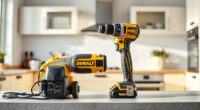
If your DEWALT 20V MAX cordless drill isn’t charging properly, it can halt your projects and cause frustration. Fortunately, many charging issues are simple to diagnose and fix with basic steps. This guide provides clear, safe instructions to help you get your power tool back in action quickly.
Always ensure safety precautions are followed to prevent injury or further damage. Before starting, gather your tools and inspect the battery and charger for obvious issues.
Key Takeaways
| Check the battery and charger connections | Ensure both are clean and properly connected. |
| Inspect for physical damage | Look for cracks, corrosion, or debris on the battery and charger. |
| Test with a known good charger/battery | Eliminate the possibility of faulty accessories. |
| Reset or clean contacts | Remove and clean battery and charger contacts with a dry cloth. |
| Replace faulty batteries or chargers | Use genuine DEWALT parts for best results. |

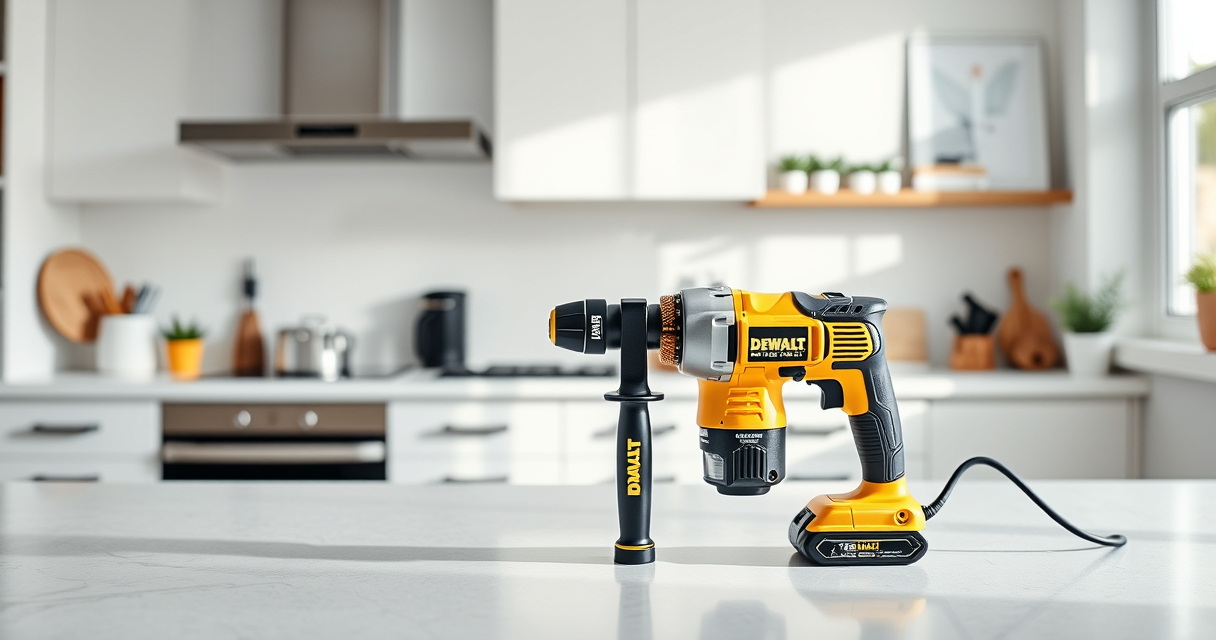
DEWALT 20V MAX Cordless Drill Driver Set, Electric Drill, Brushless 1/2 In 2 Speed, 2.0 Ah Battery and Charger Included, LED Light (DCD777D1)
- Motor Type: Brushless motor for longer run time
- Size: Compact 7.6-inch design
- Design: Lightweight for easy handling
As an affiliate, we earn on qualifying purchases.
Step 1: Inspect the Battery and Charger
- Remove the battery from the tool and examine the contact points for dirt, corrosion, or damage.
- Check the charger for any visible damage or loose parts.
- Clean the contacts gently with a dry cloth if dirty.

DEWALT Drill Bit Set, 3-Flats Shank,14-Piece, 135 Degree Split Point, for Plastic, Wood and Metal (DWA1184)
- Split point tip: Reduces walking during drilling
- High Speed Steel: Suitable for plastic, wood, and metal
- Tapered web design: Enhances durability and break resistance
As an affiliate, we earn on qualifying purchases.
Step 2: Test the Power Source
Ensure your power outlet is working by plugging in another device. Avoid using extension cords or power strips that might be faulty.
Step 3: Try a Different Battery or Charger
If available, test with a known good battery or charger compatible with your DEWALT drill. This helps identify whether the issue is with the battery or the charger.
Step 4: Reset the Battery
Some DEWALT batteries have built-in protection circuits. Try removing the battery, wait 30 seconds, then reinsert it firmly.
Step 5: Replace Faulty Components
If your battery or charger remains unresponsive after testing, consider replacing them with genuine DEWALT parts, such as the DEWALT 20V MAX 5 Ah Lithium-Ion Battery (ASIN: B00KQU1ENG).
The Products in This Guide

DEWALT 20V MAX Cordless Drill Driver Set
- ✔ LED Light: Yes
- ✔ Speed Settings: 2-speed
- ✔ Ergonomic Grip: Yes

DEWALT Drill Bit Set
- ✔ Compatibility: Fits 3/16 inch and larger chucks
- ✔ Application: Plastic, wood, metal
- ✔ Durability: High
DEWALT 20V MAX Cordless Drill Driver Set
The DEWALT 20V MAX Cordless Drill Driver Set is a versatile and durable tool, perfect for various tasks. If your drill isn’t charging, following these troubleshooting steps can help restore its performance efficiently.
Pros:
- Compact and lightweight design
- Brushless motor for longer run time
- Includes 2.0 Ah battery and charger
- LED work light for visibility
Cons:
- Battery charging issues can still occur
- Requires proper maintenance for longevity
Best for: DIY enthusiasts and professionals needing reliable power tools
Not ideal for: Users with incompatible or third-party batteries
Bottom line: Ensure proper maintenance and use genuine parts to keep your DEWALT drill charging and working optimally.
DEWALT Drill Bit Set
Complement your DEWALT drill with this durable 14-piece drill bit set, designed for plastic, wood, and metal. It enhances your tool’s capability for various projects.
Pros:
- High-speed steel construction
- 135-degree split point tip
- Reduces walking during drilling
- Corrosion-resistant coating
Cons:
- Limited to standard bits, not specialty sizes
- Requires proper bit-chuck compatibility
Best for: General-purpose drilling and fastening tasks
Not ideal for: Heavy-duty industrial drilling beyond standard applications
Bottom line: This drill bit set is a reliable addition to your DEWALT toolkit, enabling precise and durable drilling.
Frequently Asked Questions
Why isn’t my DEWALT battery charging?
Common reasons include dirty contacts, faulty charger, or damaged battery. Follow the troubleshooting steps to identify the issue.
How can I clean the battery contacts?
Use a dry, soft cloth to gently wipe the contact points on both the battery and the charger. Avoid using liquids or abrasive materials.
Can I leave my battery on the charger overnight?
Yes, DEWALT chargers are designed to stop charging once the battery is full, preventing overcharge. However, it’s best to disconnect after full charge to prolong battery life.
What should I do if my charger or battery still doesn’t work?
If troubleshooting doesn’t resolve the issue, consider replacing the charger or battery with genuine DEWALT parts for guaranteed compatibility.
Keep Your DEWALT Power Tools Charging Like New
Regular maintenance, proper storage, and using genuine parts can extend the life of your DEWALT tools and prevent charging issues. By following this guide, you can troubleshoot most problems safely and effectively, ensuring your tool is ready whenever you need it.
Affiliate disclosure: As an Amazon Associate we earn from qualifying purchases. Prices and availability are accurate as of the time of publishing.