
DEWALT power tools are renowned for their durability and performance, but like any cordless or corded tools, they can sometimes overheat during use. Overheating can lead to reduced efficiency, potential damage, or safety hazards. Recognizing the signs early and understanding common causes are essential for maintaining your tools in top condition.

Get business pricing on garage and car supplies
- Business-only prices and quantity discounts
- Tax-exempt purchasing
- Multiple users, one account, clear invoices
This guide provides practical, step-by-step troubleshooting tips specifically for DEWALT power tools, including the popular 20V MAX Cordless Drill and Impact Driver. We’ll cover how to identify overheating, prevent it, and safely fix common issues to keep your tools running smoothly on every project.
Key Takeaways
| Overheating signs | Tools become hot to the touch, stop suddenly, or emit a burning smell. |
| Common causes | Overloading, extended use, clogged vents, or worn brushes. |
| Prevention tips | Allow cooling periods, keep vents clear, and use the right accessories. |
| Fixing overheating | Clean vents, check brushes, and ensure proper battery connection. |
| Safety precautions | Always unplug or remove batteries before maintenance to prevent injury. |
Recognizing Overheating in Your DEWALT Power Tool
Identifying when your DEWALT tool is overheating is crucial for preventing damage and ensuring safe operation. Common signs include the tool feeling excessively hot to the touch, a noticeable burning smell, reduced performance, or the tool shutting off unexpectedly. If your impact driver or drill stops working suddenly, it may be a sign that internal components are overheating and need attention.
During operation, keep an eye on the LED indicators (if equipped) or listen for unusual sounds that might indicate internal stress. Promptly stopping use when signs appear can prevent costly repairs and prolong the lifespan of your tools.
Common Causes of Overheating in DEWALT Power Tools
- Overloading the tool: Using the tool on demanding tasks beyond its capacity causes excessive heat buildup.
- Extended use without breaks: Continuous operation without cooling periods leads to overheating of motors and batteries.
- Blocked vents or dust accumulation: Poor ventilation traps heat inside the tool, impairing cooling.
- Worn or damaged brushes: In brushed motors, worn brushes increase friction and heat.
- Battery issues: A faulty or incompatible battery can generate excess heat during charging or use.
Understanding these causes helps in implementing preventative measures and diagnosing issues early.
Step-by-Step Fixes for Overheating Issues
- Turn off and unplug or remove the battery: Always disconnect power sources before inspecting or repairing.
- Allow the tool to cool down: Place it in a dry, ventilated area for at least 15-30 minutes.
- Clean the vents: Use compressed air to remove dust and debris blocking airflow.
- Inspect the brushes: If accessible, check for wear or damage; replace if necessary.
- Check the battery: Ensure it’s properly seated, free of damage, and not overheating. Use compatible DEWALT batteries with the right capacity.
- Test the tool: Reassemble and run the tool at moderate speed, monitoring for heat buildup.
- Prevent future overheating: Use the tool in short bursts, allow cooling, and avoid excessive loads.
If overheating persists despite these steps, consider professional service or replacing worn parts to ensure safety and optimal performance.
Tips for Preventing Overheating During Use
- Use the correct accessories: Use DEWALT-approved drill bits and attachments to reduce strain.
- Limit continuous operation: Take regular breaks, especially during heavy-duty tasks.
- Maintain ventilation: Keep vents clean and unobstructed for optimal airflow.
- Monitor load and speed: Use appropriate speed settings for different materials and avoid forcing the tool.
- Store properly: Keep tools in cool, dry places to prevent heat buildup from environmental factors.
Following these tips helps extend your tool’s life and reduces the risk of overheating during critical jobs.
Safety Precautions When Troubleshooting and Fixing
- Always unplug or remove batteries: Never service a tool while it is connected to power.
- Wear protective gear: Use safety glasses and gloves when cleaning or inspecting components.
- Work in a well-ventilated area: Especially when using compressed air or cleaning dust.
- Follow manufacturer instructions: Use only recommended replacement parts and procedures.
- Seek professional help: If unsure about internal repairs or if the problem persists, contact DEWALT service centers.
Prioritizing safety during troubleshooting ensures you avoid injury and maintain the longevity of your tools.
The Products in This Guide

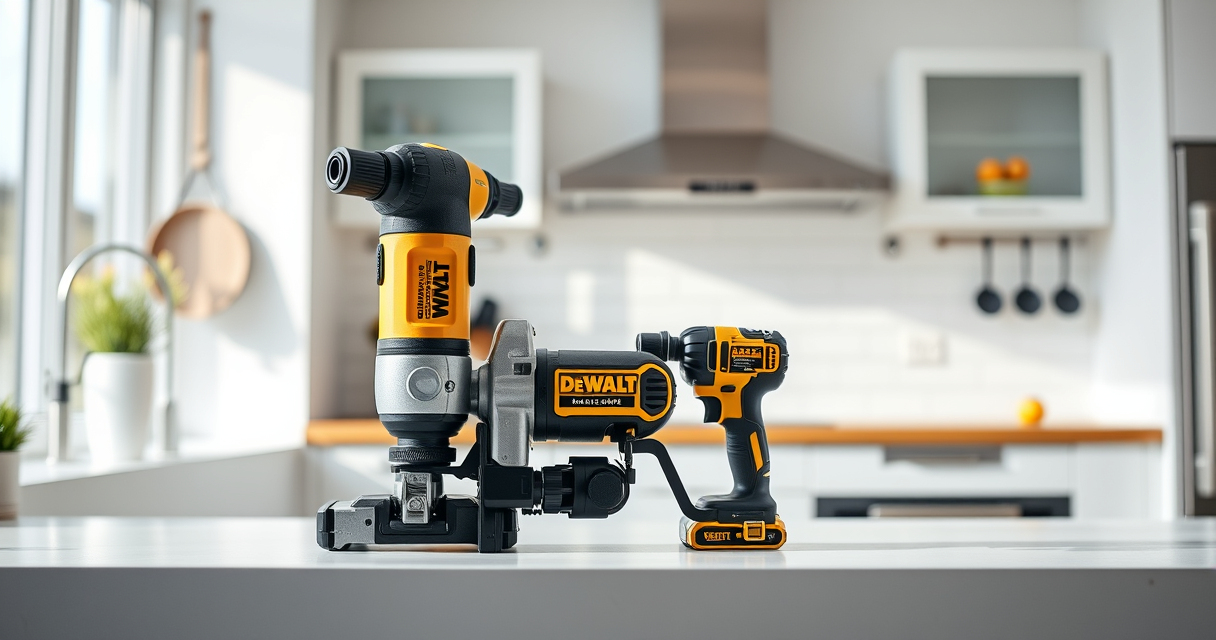
DEWALT 20V MAX Cordless Drill and Impact Driver
- ✔ Max Voltage: 20V
- ✔ Battery Capacity: 5Ah
- ✔ Weight: Lightweight

DEWALT Drill Bit Set
- ✔ Material: High-Speed Steel
- ✔ Number of bits: 14
- ✔ Tip angle: 135°
DEWALT 20V MAX Cordless Drill and Impact Driver
The DEWALT 20V MAX Cordless Drill and Impact Driver (DCK277D2) offers reliable performance with brushless motors, ergonomic design, and quick bit changes. Despite occasional overheating, proper maintenance can keep it running efficiently for various projects.
Pros:
- Lightweight and compact design
- Brushless motors for efficiency
- Includes 2 batteries and charger
- Bright LED for visibility
Cons:
- Can overheat during prolonged use
- Battery life may vary with heavy tasks
- Vents can clog with dust
Best for: DIY enthusiasts and professionals needing versatile power tools for tight spaces.
Not ideal for: Extended continuous heavy-duty use without breaks.
Bottom line: A versatile, reliable cordless drill and impact driver combo, best used with proper care to prevent overheating.
DEWALT Drill Bit Set
This DEWALT Drill Bit Set features 14 pieces with 135-degree split points, suitable for plastic, wood, and metal. Its durability and sharpness help prevent overheating caused by improper bits or dull tools.
Pros:
- High-speed steel construction
- Corrosion-resistant coating
- Easy size identification
- Includes various sizes
Cons:
- Not suitable for heavy industrial use
- Requires proper bit maintenance
- Limited to drilling applications
Best for: Home improvement projects and light to medium-duty drilling tasks.
Not ideal for: Heavy industrial or continuous high-load drilling.
Bottom line: A durable drill bit set ideal for general-purpose drilling with minimal overheating risk.
Frequently Asked Questions
What are the main signs that my DEWALT tool is overheating?
You may notice the tool feeling very hot to the touch, a burning smell, reduced performance, or the tool shutting off unexpectedly.
How can I prevent my DEWALT power tool from overheating?
Use the tool in short bursts, ensure vents are clean and unobstructed, avoid overload, and give the tool regular breaks during extended use.
What should I do if my DEWALT tool overheats?
Turn off and disconnect power, allow it to cool in a well-ventilated area, clean vents, check brushes and batteries, and test performance before reuse.
Are worn brushes a common cause of overheating?
Yes, in brushed motors, worn brushes increase friction and heat. Replacing worn brushes can resolve overheating issues.
Can I fix overheating myself or should I seek professional help?
For minor issues like cleaning vents and inspecting brushes, DIY fixes are safe. For internal motor repairs or persistent problems, consult a professional technician.
Keeping Your DEWALT Power Tools Cool and Efficient
Proper maintenance and mindful use are key to preventing overheating in your DEWALT power tools. Regularly inspecting vents, avoiding overloads, and giving your tools sufficient rest during heavy tasks will extend their lifespan and ensure safety.
Remember, if overheating continues despite troubleshooting, professional repair or replacement parts may be necessary. Prioritize safety and proper care to keep your tools performing at their best for years to come.
Affiliate disclosure: As an Amazon Associate we earn from qualifying purchases. Prices and availability are accurate as of the time of publishing.
Halloween Picks
halloween
As an affiliate, we earn on qualifying purchases.