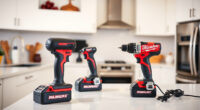
If your Milwaukee power tools charger is blinking red, it indicates a problem that needs addressing to ensure your tools stay powered and ready for use. A blinking red light can be caused by various issues, from battery problems to charger malfunctions. In this guide, you’ll find clear, practical steps to diagnose and fix the issue efficiently, keeping your Milwaukee tools in top shape.

Get business pricing on garage and car supplies
- Business-only prices and quantity discounts
- Tax-exempt purchasing
- Multiple users, one account, clear invoices
Whether you’re a professional tradesperson or a DIY enthusiast, understanding the causes behind the blinking red light helps you avoid unnecessary downtime and potential damage to your batteries or charger. Follow these steps carefully, prioritize safety, and restore your system quickly.
Key Takeaways
| Identify the cause | The blinking red indicates a specific fault, often related to battery or charger issues. |
| Check the battery | Ensure batteries are compatible, fully charged, and properly seated. |
| Inspect the charger | Look for damage, dirt, or overheating signs. |
| Reset and troubleshoot | Reset the charger and test with different batteries to isolate the problem. |
| Follow safety tips | Always unplug before inspecting and avoid exposing the charger to moisture or extreme temperatures. |
Understanding the Red Blinking Indicator
The red blinking light on your Milwaukee charger typically signals a fault or error condition. According to Milwaukee, this can point to issues such as battery overheating, incompatible batteries, or internal charger faults.
Recognizing what the blinking indicates is the first step toward fixing the problem. Refer to your charger’s manual if available, but generally, a blinking red light means you need to perform specific troubleshooting steps to identify and resolve the cause.
Step 1: Power Down and Inspect the Batteries
- Unplug the charger from the power source to prevent any electrical hazards.
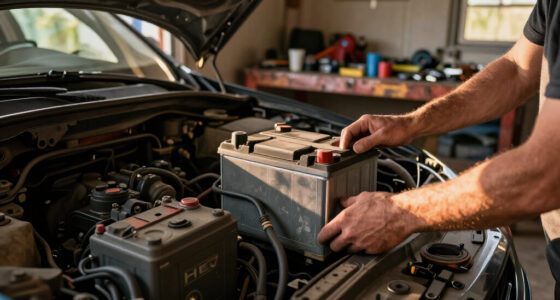
- Remove the batteries from the charger and examine them closely.
- Ensure the batteries are compatible with your Milwaukee M18 charger and are in good physical condition, with no swelling, cracks, or corrosion.
- Check that the battery contacts are clean and free of dirt or debris.
If you have multiple batteries, try charging a different one to see if the blinking persists. This helps determine if the issue is with the battery or the charger itself.
Step 2: Test the Batteries with the Charger
- Place a fully charged, compatible battery into the charger.
- Observe the indicator lights. If the red blinking stops and the charge icon appears, the battery was likely the issue.
- If the red blinking continues, try a different battery or a known good one.
This process helps confirm whether the fault lies with the battery or the charger. If the problem persists with multiple batteries, move on to inspecting the charger.
Step 3: Inspect and Clean the Charger
- Check for obvious signs of damage, such as cracks, burnt smell, or corrosion on the charger ports.
- Use a dry cloth or soft brush to clean dust or dirt from the charging contacts and vents.
- Ensure the charger is placed on a stable, cool, and dry surface during operation.
If the charger has been exposed to moisture or extreme conditions, this could trigger the blinking red light. Allow it to dry thoroughly or consider professional repair if damage is suspected.
Step 4: Reset and Test the Charger
- Unplug the charger from the power outlet.
- Wait for at least 30 seconds to allow internal circuits to reset.
- Plug the charger back in and insert a known good battery.
- Monitor the indicator lights during the charging process.
If the blinking persists, try a different power outlet or test with another compatible charger if available. This helps determine whether the issue is with the charger or power supply.
Additional Tips and Safety Warnings
- Never attempt to open or repair the charger yourself, as it can be dangerous and void warranties.
- Always use Milwaukee batteries and chargers recommended for your specific model.
- Avoid exposing the charger or batteries to water, extreme heat, or damp environments.
- If troubleshooting does not resolve the blinking red light, contact Milwaukee customer support or authorized service centers for professional assistance.
The Products in This Guide

Milwaukee M18 18V Cordless Power Tool Combo Kit
- ✔ Weight: Heavy-duty build
- ✔ Battery type: Lithium-ion
- ✔ Warranty: Standard manufacturer warranty

Milwaukee Shockwave 100pcs Impact Driver Bit Set Packout
- ✔ Material: Impact-rated steel
- ✔ Storage: Packout case
- ✔ Warranty: Limited
Milwaukee M18 18V Cordless Power Tool Combo Kit
The Milwaukee M18 18V Cordless Power Tool Combo Kit offers versatility and power for professionals and DIYers alike. With 8 tools, 3 batteries, and a rapid charger, it’s designed for demanding tasks across construction, remodeling, and maintenance projects.
Pros:
- Includes 8 versatile tools
- 3 high-capacity batteries and rapid charger
- Durable build and reliable performance
- Two heavy-duty contractor bags for storage
Cons:
- Heavy for prolonged use
- Batteries may need replacement over time
- Charger might be slow to recover batteries
Best for: Heavy-duty construction and remodeling tasks requiring multiple tools
Not ideal for: Light-duty or occasional DIY projects; those needing ultra-lightweight tools
Bottom line: A comprehensive, reliable power tool kit ideal for demanding professional use.
Milwaukee Shockwave 100pcs Impact Driver Bit Set Packout
Complement your Milwaukee power tools with this Milwaukee Shockwave 100pcs Impact Driver Bit Set. Its durability and variety make it perfect for heavy-duty tasks and professional work environments.
Pros:
- Wide variety of bits
- Packout case for organization
- Impact-rated for durability
- Great value for the quantity
Cons:
- Bulkier storage case
- Some bits may be redundant for light tasks
- Impact rated bits can wear over time
Best for: Professional contractors and serious DIYers needing reliable impact bits
Not ideal for: Casual users or light-duty projects
Bottom line: A comprehensive set that enhances efficiency and organization in demanding jobs.
Frequently Asked Questions
What does a blinking red light on my Milwaukee charger mean?
It typically indicates a fault such as overheating, incompatible battery, or internal charger issues. Consult your manual for specific codes.
Can I fix a blinking red light myself?
Yes, by inspecting batteries, cleaning contacts, resetting the charger, and testing with different batteries. Avoid opening the charger yourself.
How do I prevent the red blinking issue?
Use compatible batteries, keep the charger and batteries clean, avoid extreme temperatures, and store in a dry, cool place.
Is it safe to continue charging if the red light blinks?
No, it’s best to troubleshoot first. Continuing to charge can damage batteries or the charger and pose safety risks.
When should I contact Milwaukee support?
If troubleshooting does not resolve the issue or if the charger shows signs of damage, contact Milwaukee customer support or an authorized service center.
Keeping Your Milwaukee Charger in Top Shape
Understanding the causes behind the blinking red light on your Milwaukee charger empowers you to troubleshoot effectively and maintain your power tools’ performance. Regular inspection, proper storage, and using compatible batteries are key to avoiding issues. If problems persist despite troubleshooting, professional support ensures safe and lasting repairs, so your Milwaukee tools stay ready for any job.
Affiliate disclosure: As an Amazon Associate we earn from qualifying purchases. Prices and availability are accurate as of the time of publishing.
Halloween Picks
halloween
As an affiliate, we earn on qualifying purchases.